


Tickets and Helpdesk

Every request in the right place. Every customer well served.

Centralize requests, organize priorities, meet SLAs and automate repetitive work in a helpdesk connected to your entire operation.
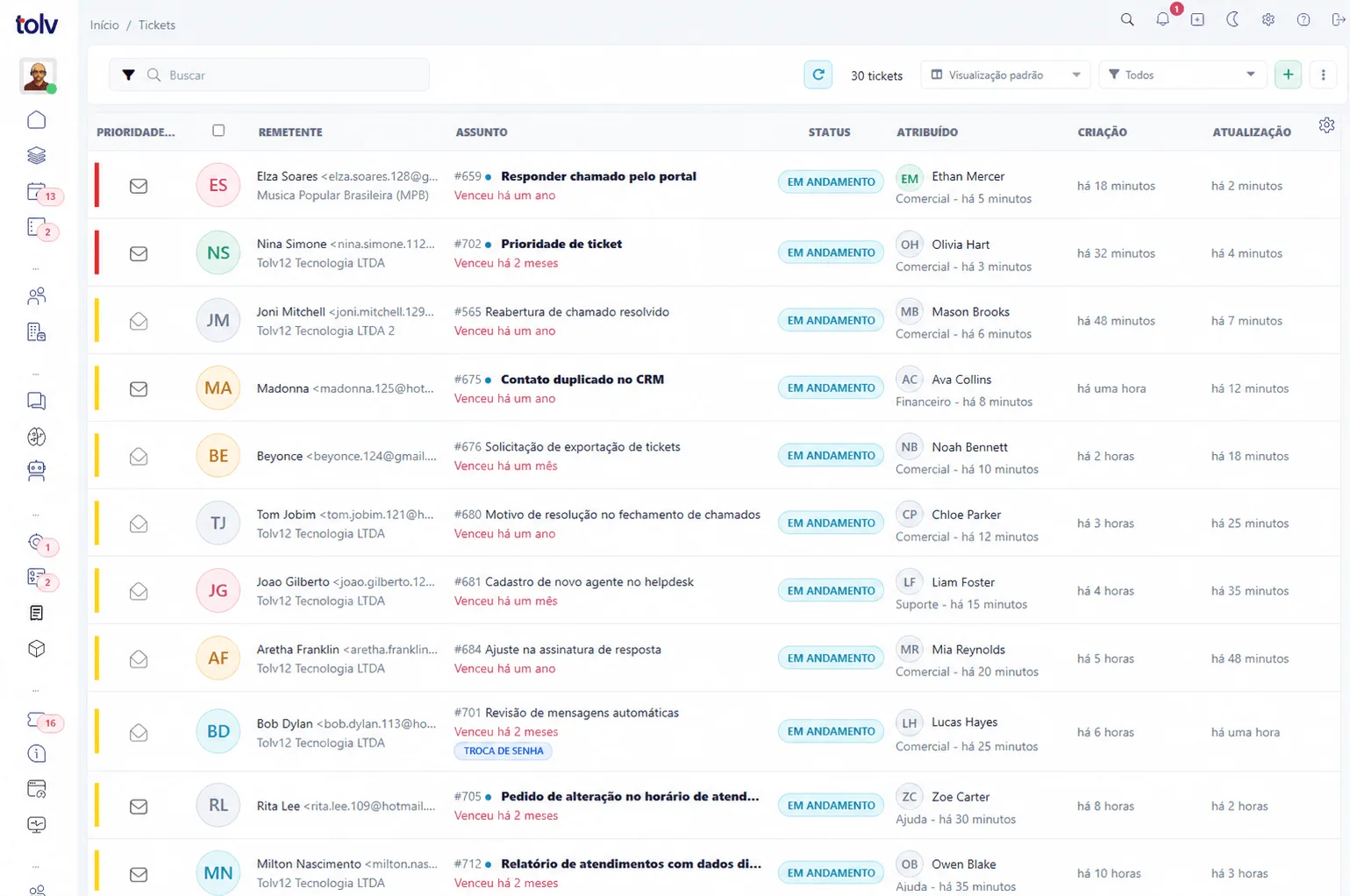
Simple setup Customizable operation Centralized history
Tolv Helpdesk
Ticket overview screenshot

One operation, from intake to resolution

Email
Customer portal
Chat and chatbot
Automation
API
Complete helpdesk

Everything your team needs to resolve better

From request intake to performance analysis, Tolv brings service, organization, collaboration and management into one workflow.

Centralized intake

Turn contacts from multiple channels into traceable tickets without losing context.

  • Email, portal, chat, chatbot, AI and API
  • Manual creation with attachments and fields
  • Complete requester history

Organized operation

Distribute work and keep every stage clear for agents and managers.

  • Departments, agents and priorities
  • Statuses, substatuses and request types
  • Custom fields and bulk actions

SLAs under control

Set realistic deadlines and track risk before the customer experience is affected.

  • First response and resolution
  • Working hours and holidays
  • Policies by priority and scenario

Reliable automation

Create rules that eliminate repetitive tasks and keep processes consistent.

  • Triggers, conditions and multiple actions
  • Ready-made templates and simulation
  • Execution history and notifications

Customer experience

Give customers autonomy without distancing them from the team when help is needed.

  • Portal to open and track tickets
  • Invitation to live chat support
  • Satisfaction surveys and NPS

Visible management

Organize the queue for each role and turn history into better decisions.

  • Shareable filters and views
  • Operational dashboards and reports
  • Permissions, history and traceability
01 Your queue, your way

Views and filters for every workflow

Choose which columns to display, their order and how tickets are sorted. Combine views with saved filters for each team, customer or process.
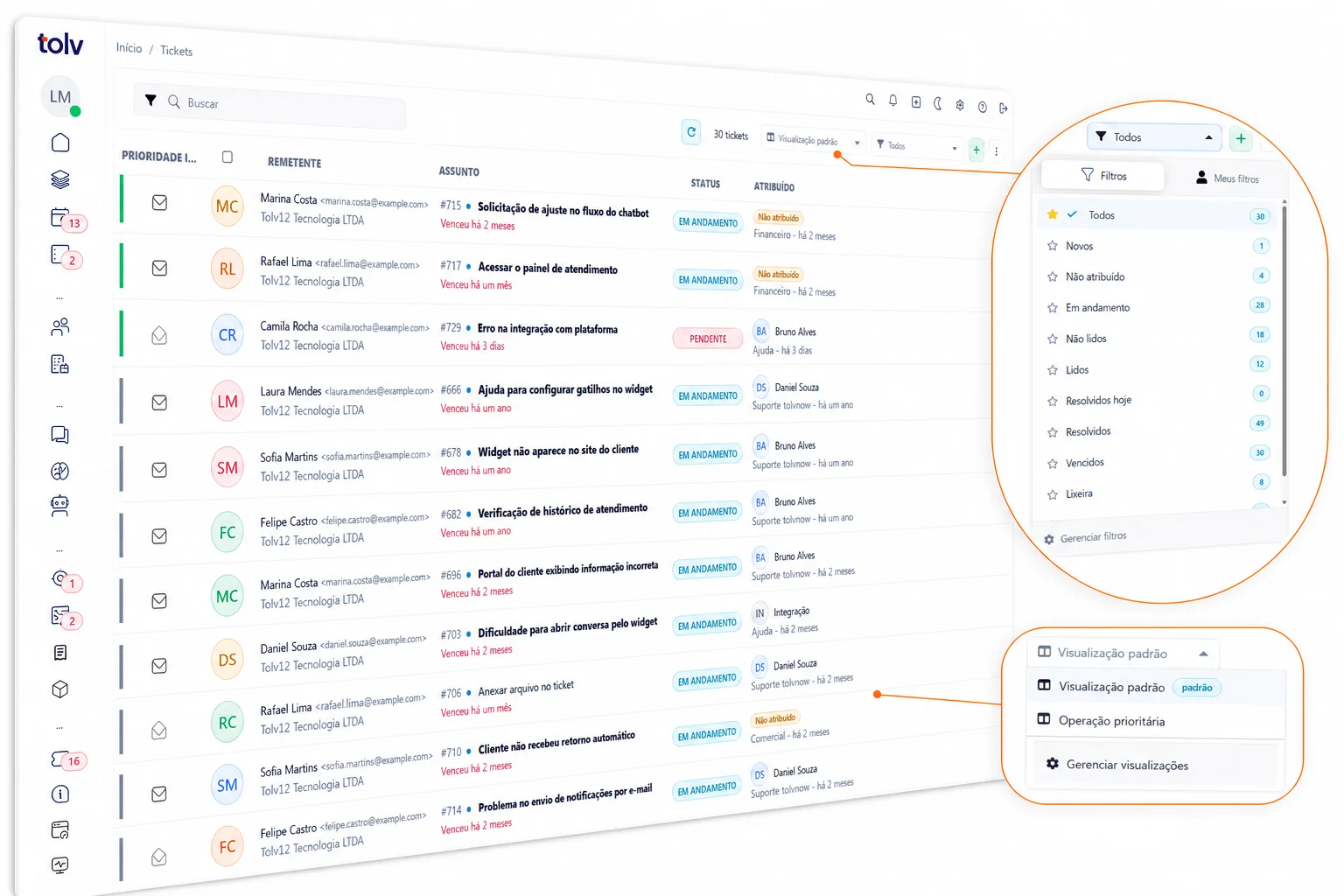
  • Native, people, organization and custom-field columns
  • Filters by relative period, owner, status, priority and more
  • Private, owner-only or group-shared views
Views and filters screenshot
02 Context on one screen

Support customers without losing relationship history

Replies, internal notes, attachments, owners and properties live alongside CRM context, chats and tasks connected to the ticket.
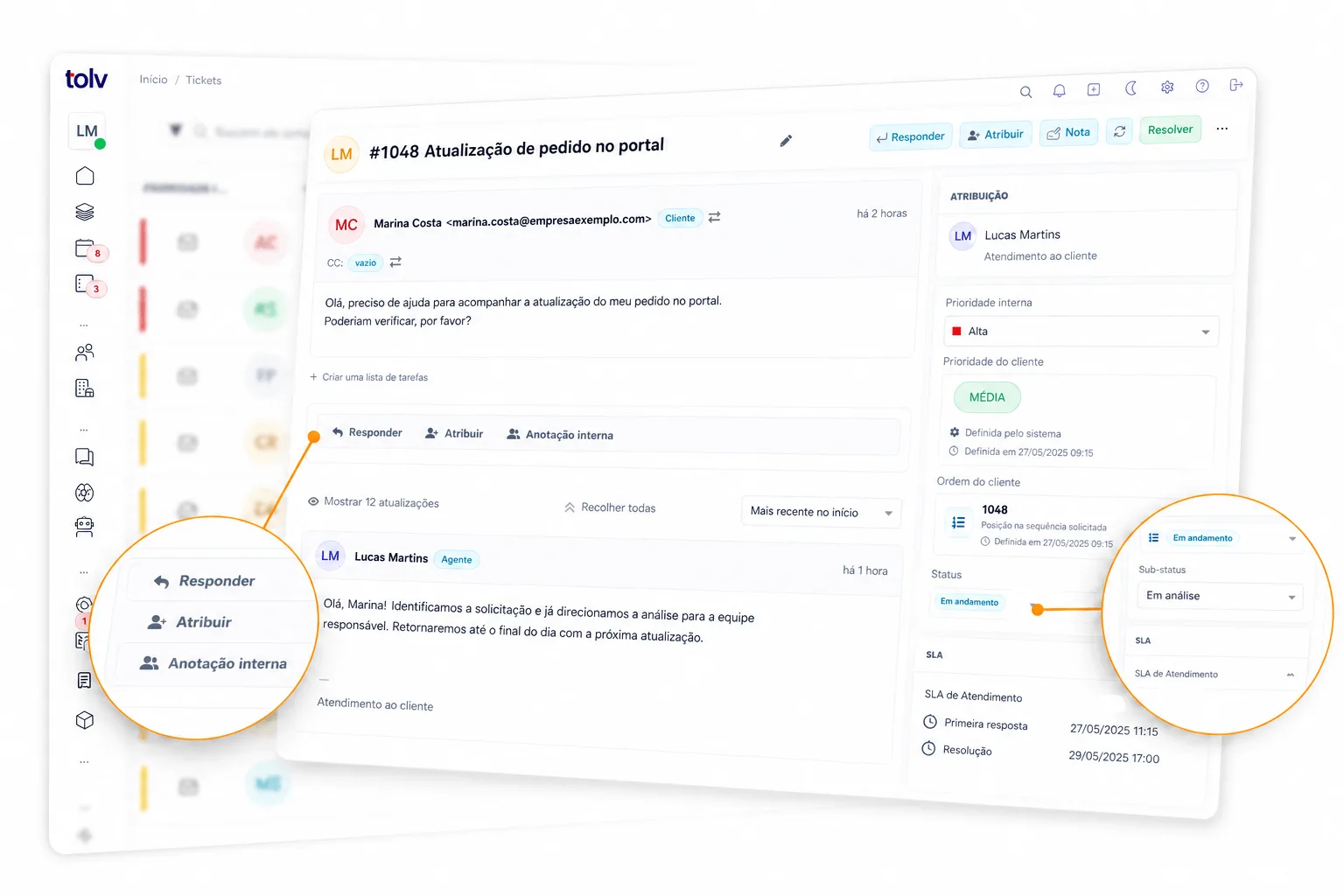
  • People and organizations connected to CRM
  • Related tickets, activities, lists and projects
  • Chat invitations with transcripts inside the ticket
Ticket detail screenshot
03 Less manual work

Automate decisions, updates and notifications

Build rules from ticket events, apply precise conditions and combine actions to keep work moving even outside business hours.
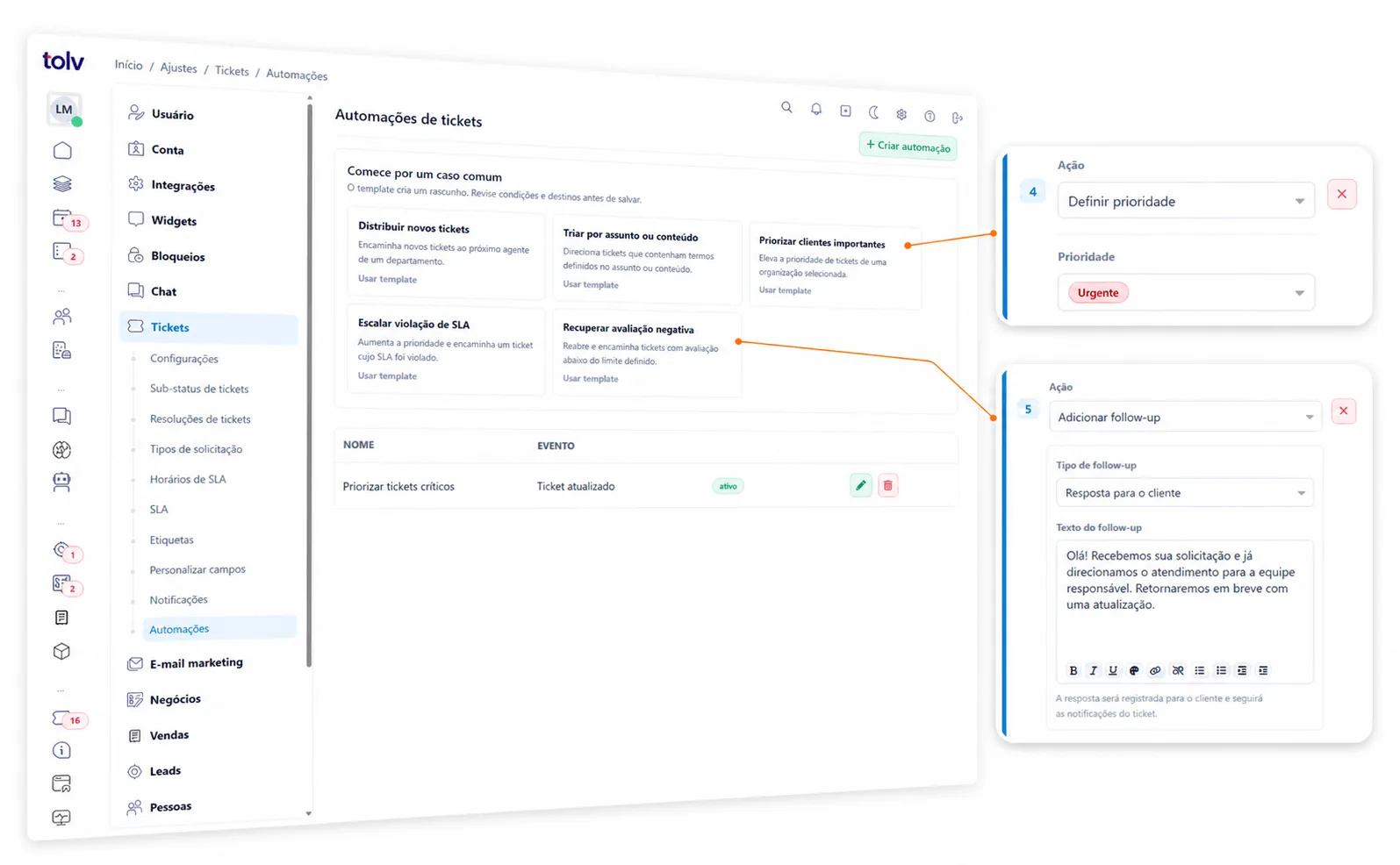
  • Assign, prioritize, update status and add notes
  • Send notifications with dynamic ticket data
  • Simulate before activation and inspect every execution
Automation editor screenshot
04 End-to-end predictability

SLAs that reflect real operations

Factor working hours, holidays, priorities and request types into first-response and resolution deadlines.
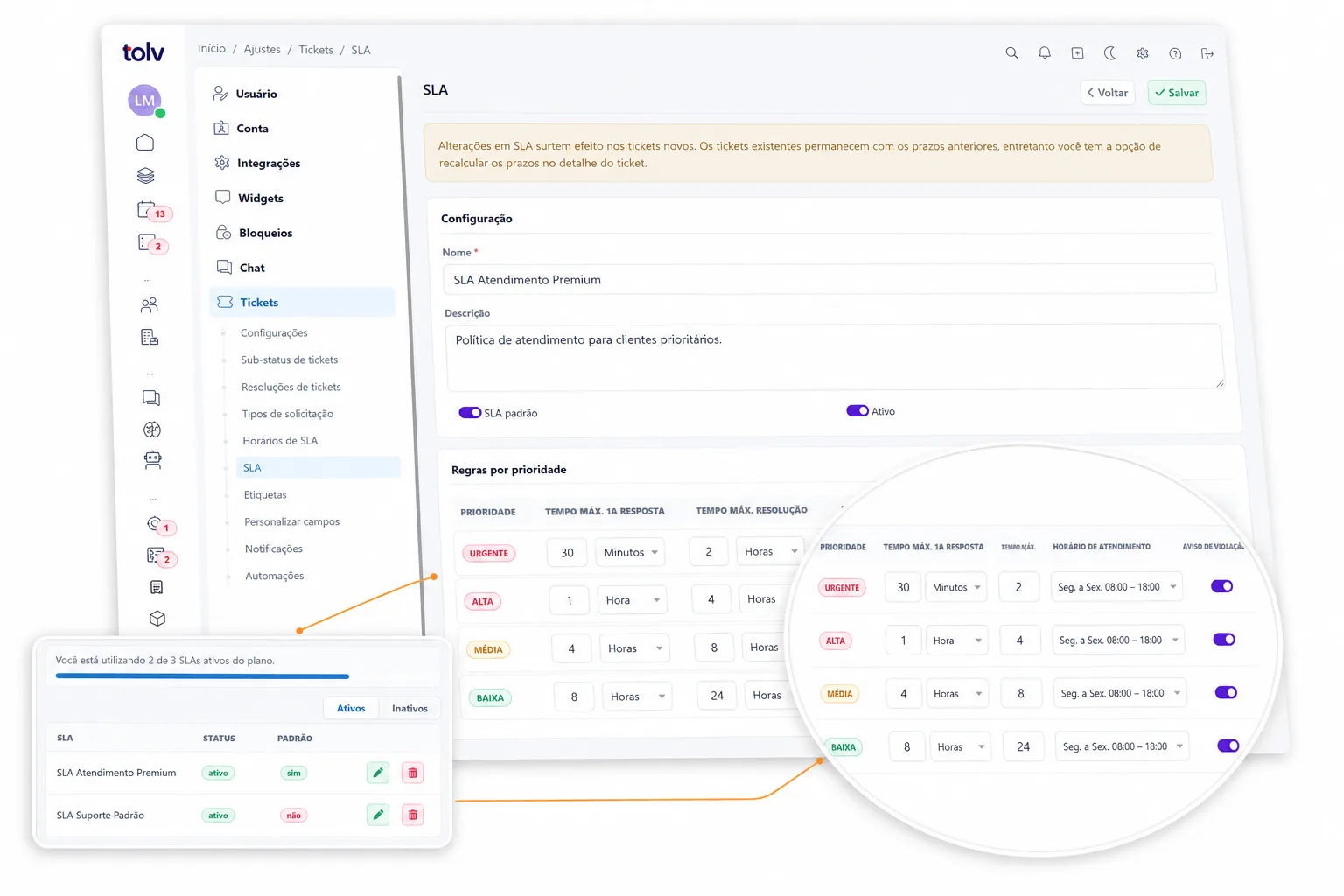
  • Different policies for customers, teams and priorities
  • Timing based on valid service calendars
  • Due-date indicators to act before a breach
SLA setup or tracking screenshot
05 Customer Portal

A complete service hub carrying your brand

Create a customized environment where every customer can find help, track requests and talk to your team. With a custom domain, protected access and content prepared for Google indexing, the portal turns service into a continuous experience.
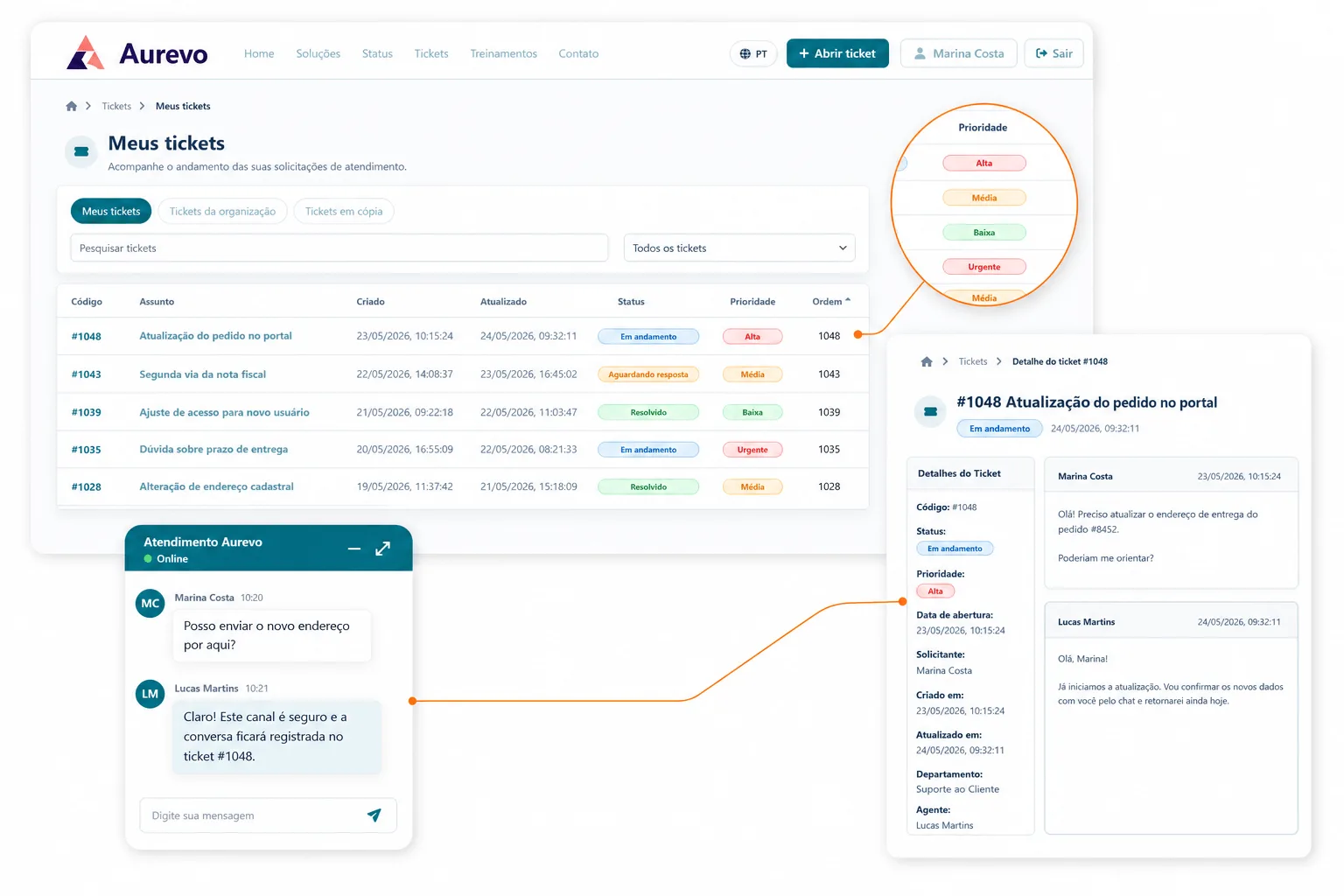
  • Customized visual identity that reflects your brand
  • Secure password login, custom domain and SSL (HTTPS)
  • Content optimized for Google indexing and discovery
  • Ticket creation, tracking, history and prioritization by customers
  • A direct customer service communication channel through chat
Learn more about the Customer Portal
Customized Customer Portal ticket list, detail and chat
Product features

A helpdesk built for complex operations

Features that work together to give teams speed, customers continuity and managers control.

Service

Tickets from email, portal, chat, chatbot, AI and API Rich replies, attachments, copies and signatures Internal notes and change history Assignment and transfer between teams Chat invitations linked to tickets Requester and organization history

Organization

Statuses, substatuses, priorities, types and resolutions Custom fields and tags Views with columns and sorting Saved filters and dynamic periods Selection and bulk actions Ticket merging, links and dependencies

Control and automation

SLAs, working hours and holidays Automation with simulation and history Custom notifications Spam, restore and trash with automatic cleanup Permissions and visibility groups Change history for human and automated actions

Connected operation

Portal for opening and tracking requests People and organizations integrated with CRM Related and dependent tickets Linked projects, tasks and lists Activities and next steps Satisfaction surveys and NPS
Ready to organize your operation?

Turn scattered requests into predictable service.

Start with the structure your team needs today and evolve processes, automation and indicators in the same place.