

Agile management from kickoff to delivery

Project Management

Keep work flowing with Kanban, WIP limits and well-defined sprints. Schedules, dependencies, estimates, effort, hours and insights work together, with a dedicated space for clients to follow every stage.
Kanban and continuous flow with WIP Controlled sprint start and finish Integrated client portal
New Client Implementation
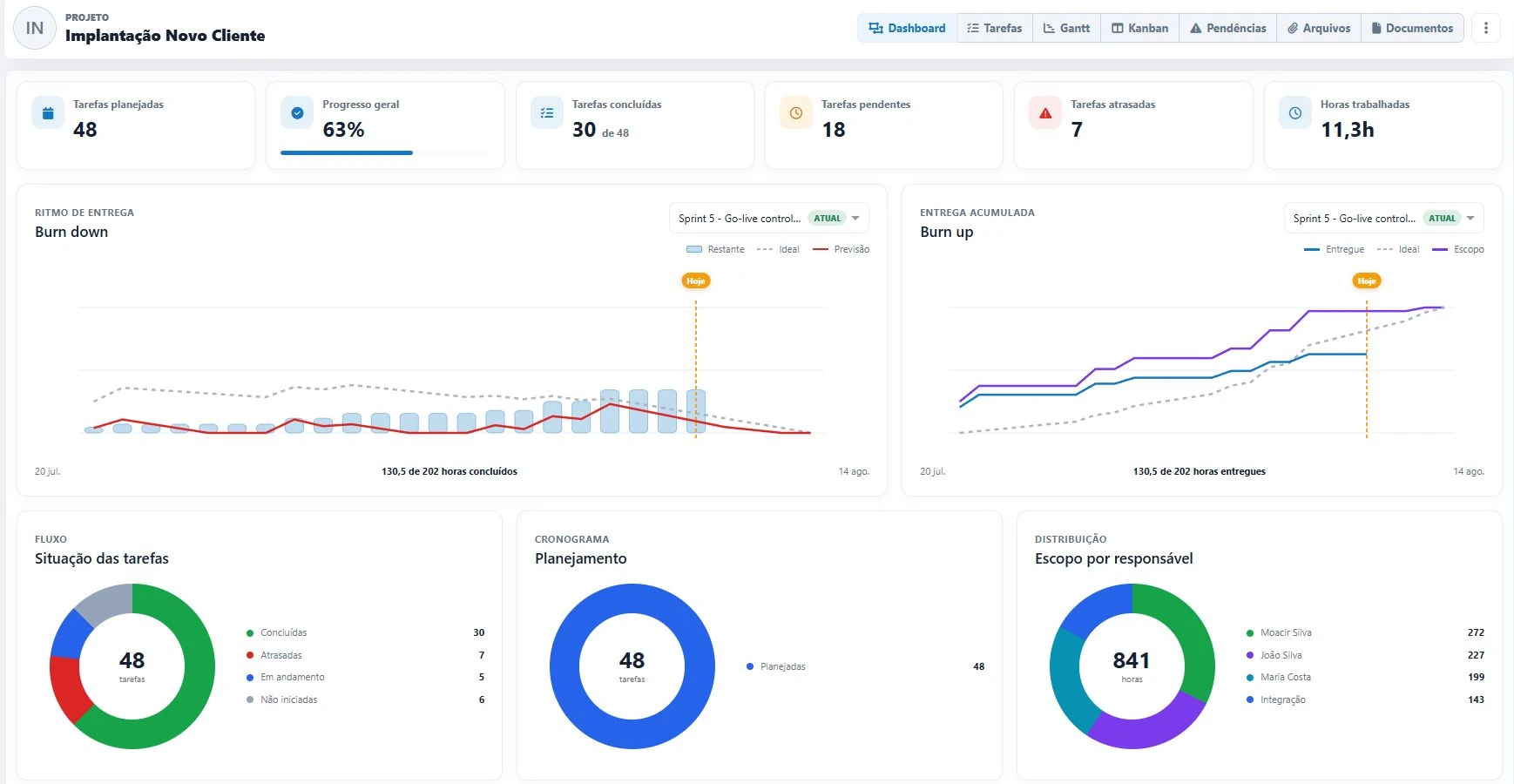
Project dashboard with indicators and charts
Live project view

New Client Implementation

48planned tasks 71%overall progress 6organized sprints 1shared client view
Agility with control

Kanban and Scrum connected to complete project management

Keep work flowing, organize delivery cycles and connect capacity, effort and deadlines to make clear decisions.

Kanban, continuous flow and WIP

Customize the workflow, limit Work in Progress, expose bottlenecks and keep delivery moving.

Sprints from start to finish

Plan goals, control start and finish dates, follow the current sprint and keep a history of every cycle.

Clear schedule control

View dates, progress, milestones and dependencies by day, week or month.

Flexible estimates, effort and hours

Estimate in hours, days, story points or a Fibonacci scale. Compare effort and hours.

Epics, stories and tasks

Structure the backlog with hierarchy, subtasks, labels, checklists and owners.

Predecessors and successors

Create task dependencies and see blockers before they affect delivery.

Delivery insights

Track burn down, burn up, progress, delays, distribution and team pace.

Templates and automation

Reuse structures, standardize labels and automate recurring workflow actions.

Team autonomy

Team members have project-specific access profiles and autonomy to grant the right level of information access.

01 Agility with continuous flow

Flexible Kanban that keeps work moving

Visualize every stage, pull work according to capacity and use WIP (Work in Progress) limits to reduce overload, expose bottlenecks and accelerate flow.
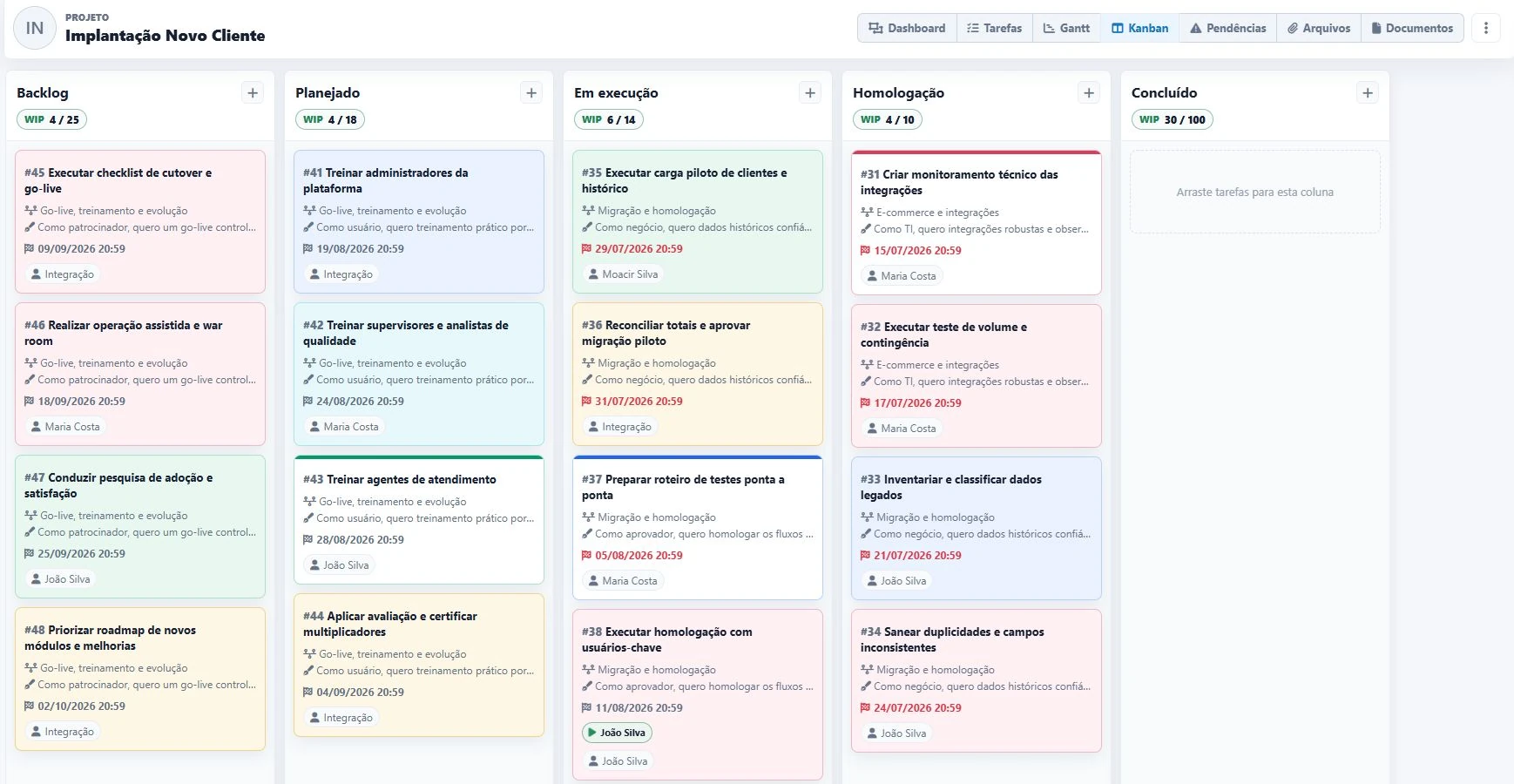
  • Custom workflow and columns per project
  • Visual drag-and-drop movement
  • WIP (Work in Progress) limits
  • Dates, labels and owners on cards
Project Kanban board
02 Clear schedule control

A schedule that makes dependencies and deadline impact visible

Adjust dates, estimates and progress directly on the timeline and follow delivery sequencing without parallel spreadsheets.
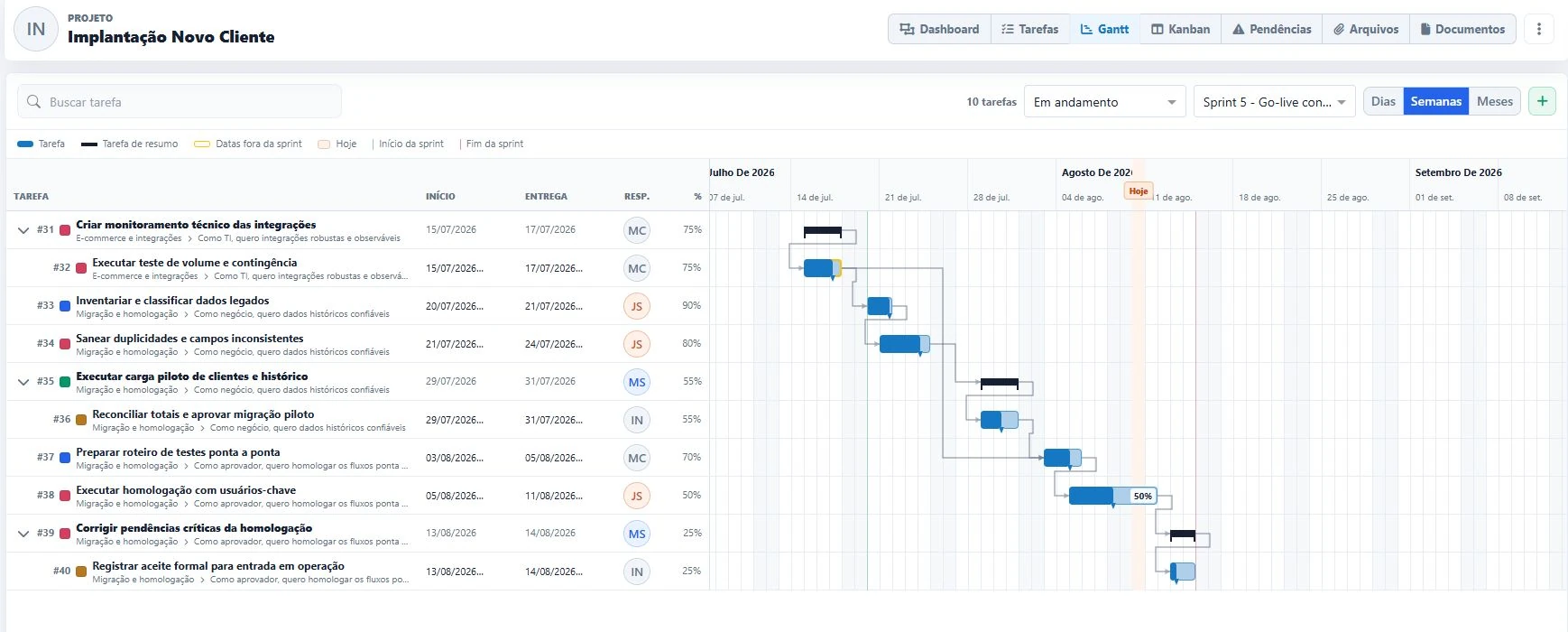
  • Day, week and month scales
  • Today and milestones highlighted
  • Summary tasks, subtasks and estimates
  • Connected predecessors and successors
New Client Implementation project schedule Predecessor Successor
03 Structured backlog

Grouped epics and stories bring clarity to the work

Organize the backlog around larger goals and user stories. See the complete hierarchy, find every delivery quickly and keep the team aligned with the value to be delivered.
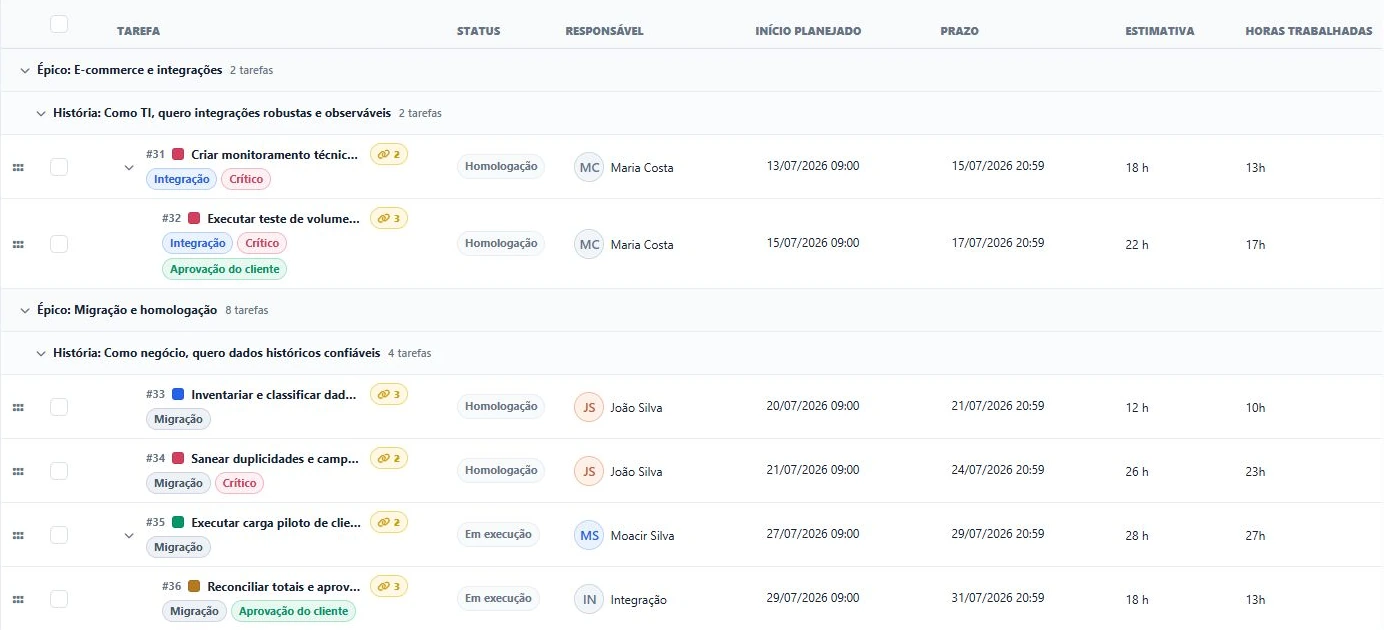
  • Epics grouping major goals
  • User stories connected to context
  • Estimates in hours, days, story points or a relative/Fibonacci scale
  • Filters by sprint, status and owner
New Client Implementation backlog with grouped epics and user stories
04 Dependencies in the task list

Predecessors and successors visible where work happens

Dependencies are not limited to the schedule. In the task list, teams identify linked work, highlight relationships and navigate between predecessors and successors with one click.
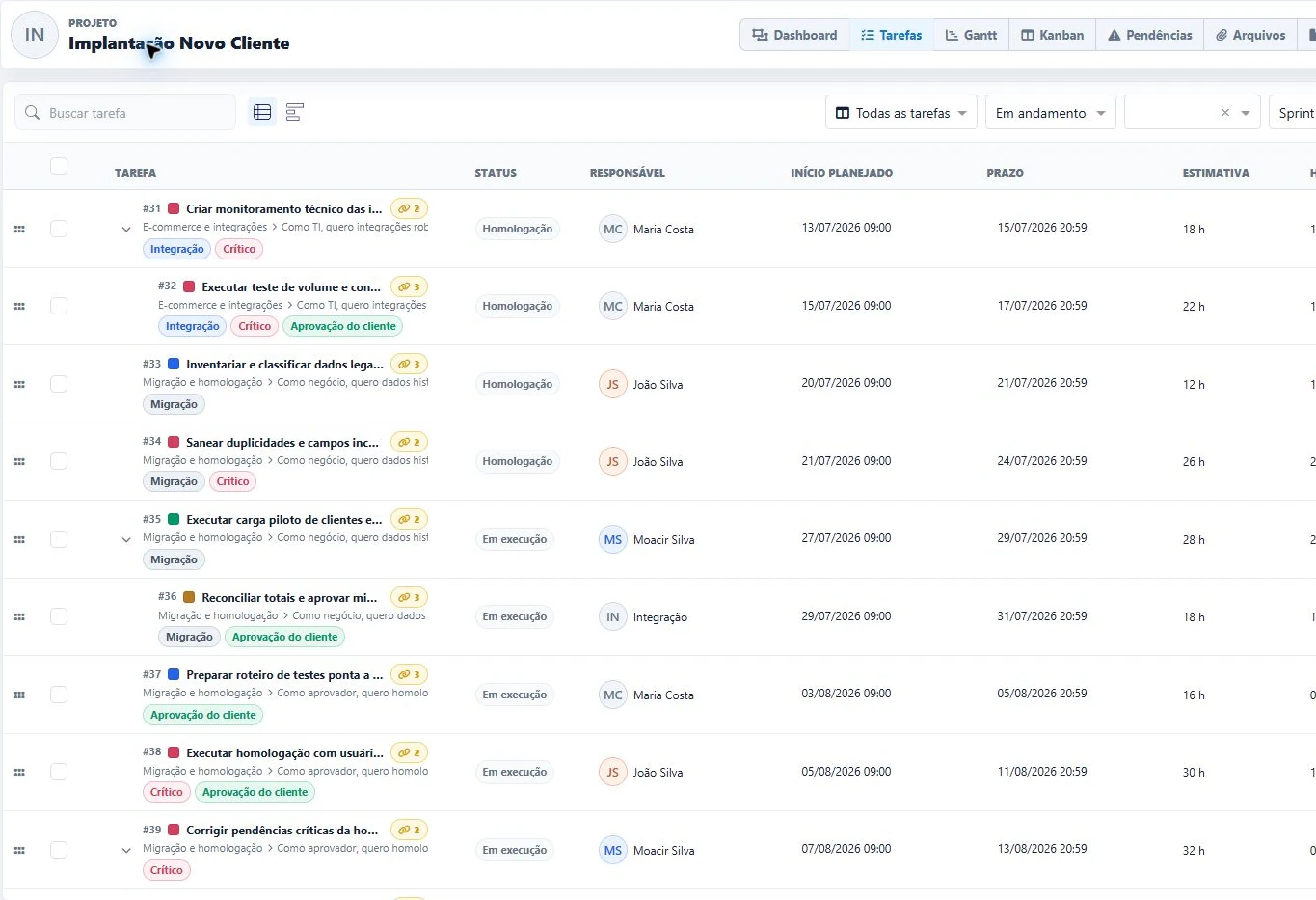
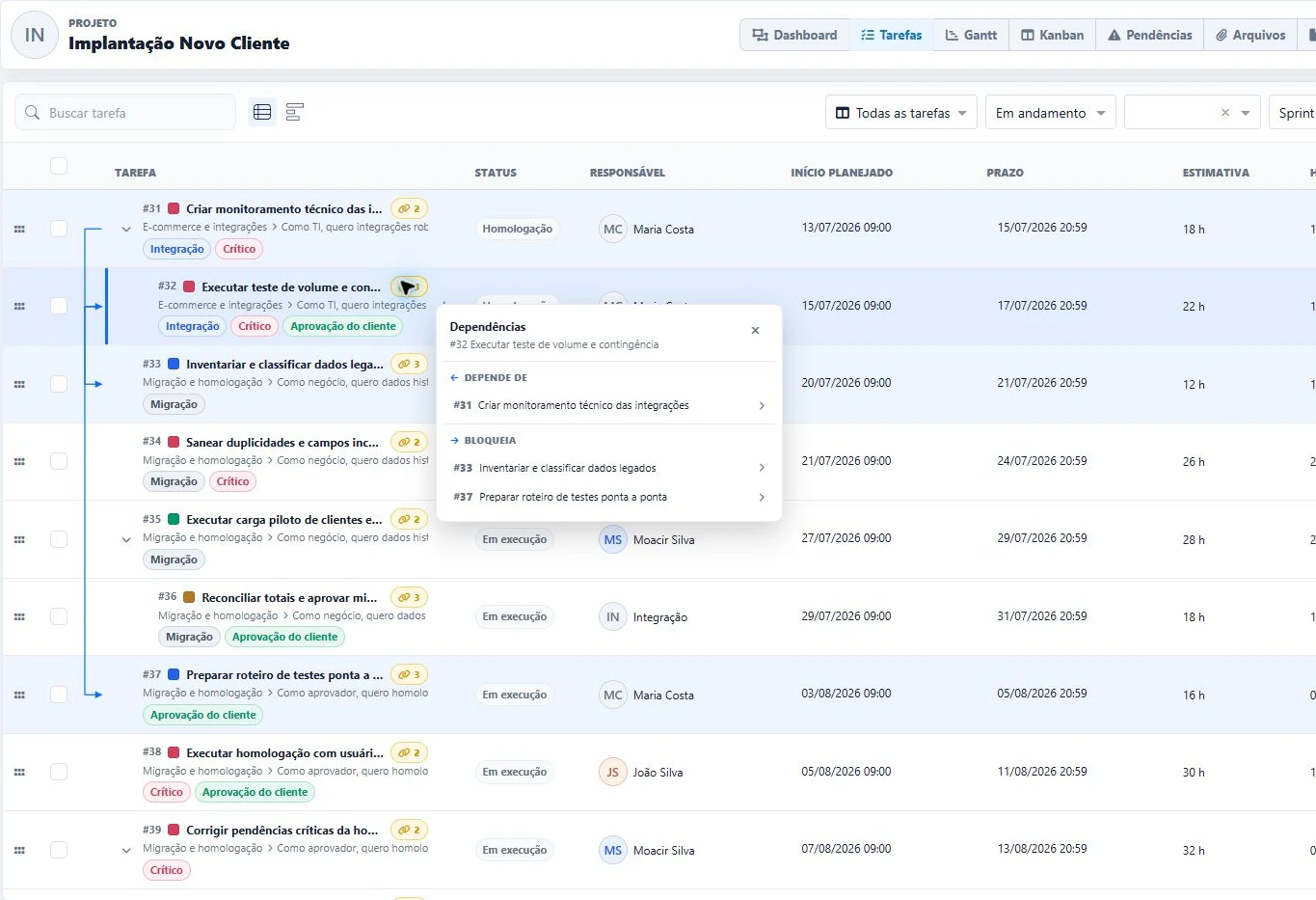
  • A yellow indicator shows how many relationships each task has
  • Arrows visually connect related tasks
  • The panel separates what the task depends on from what it blocks
  • Direct navigation to every linked task
Click the yellow indicator
Project task list with yellow dependency indicators Dependency arrows and interactive predecessor and successor panel Dependencies and blockers just one click away
05 Everything in the task context

Comments, effort and estimates at the center of execution

Every task brings together the context needed to execute, collaborate and compare planned work with actual results while preserving history.
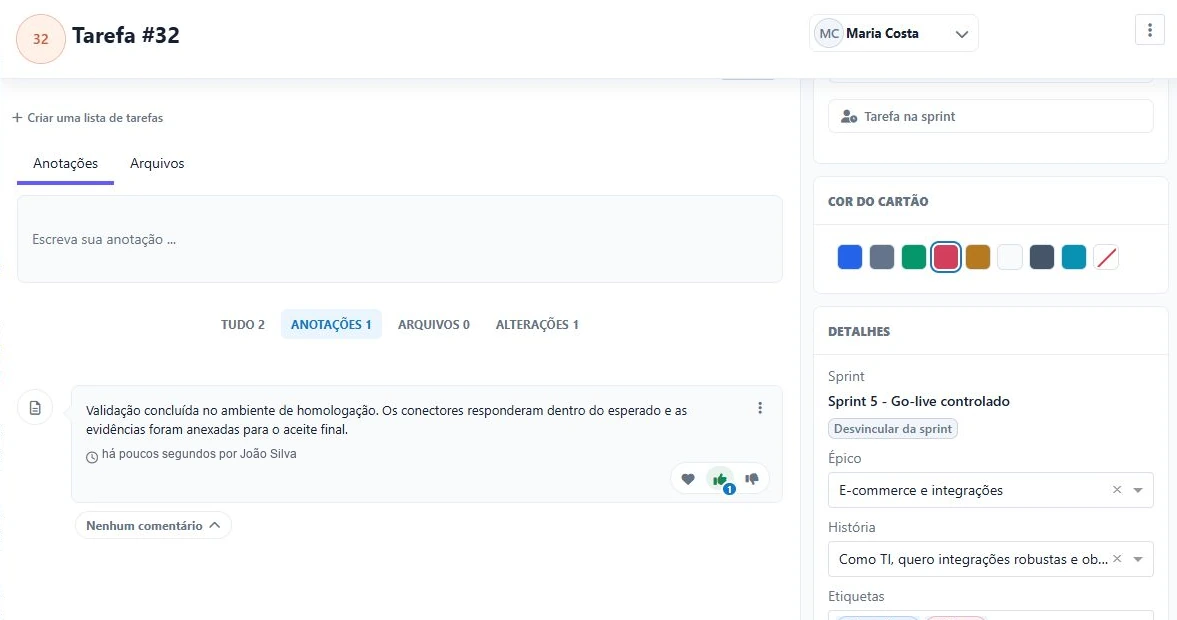
  • Notes, comments and reactions with likes
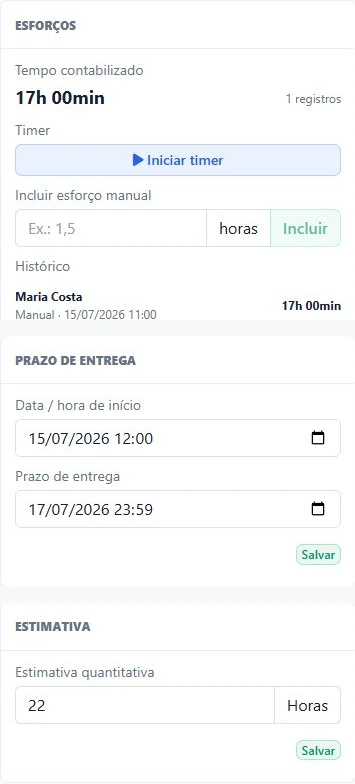
  • Timer and manual effort entries with history
  • Estimates in hours, story points, Fibonacci, S/M/L sizes or a custom relative scale
  • Sprint, progress, deadlines, labels and owners
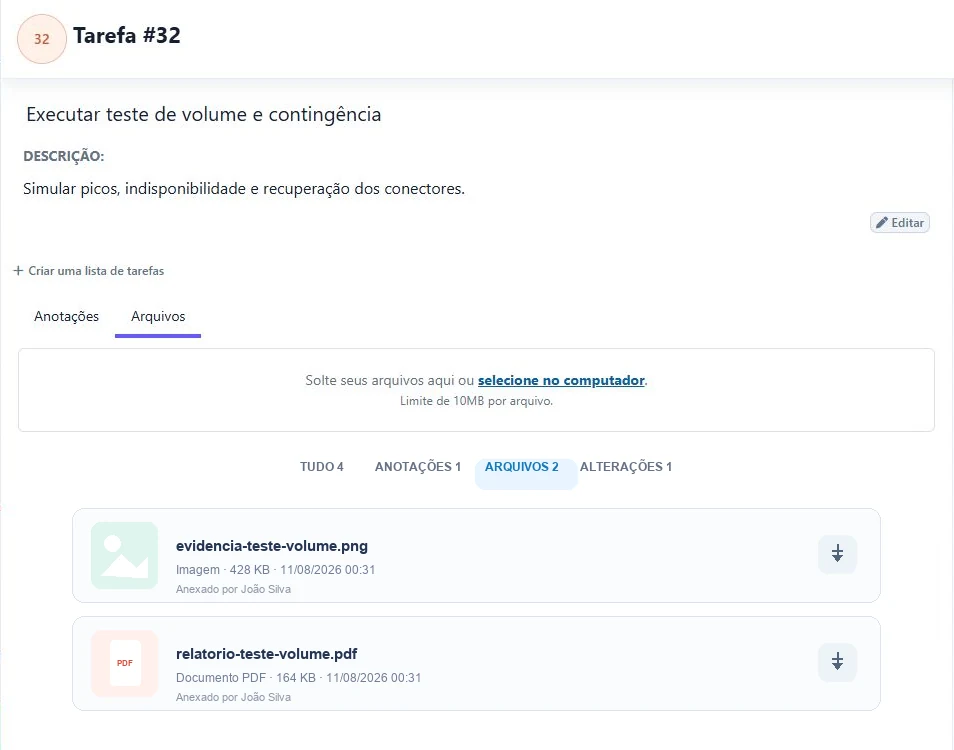
  • Files, images and evidence attached to the task
Comments and reactions in the task context
Task details with a comment, positive reaction, sprint, epic, story and labels
Effort, deadline and flexible estimates
Task effort tracking, timer, history, deadline and hour estimate
Choose the project estimation method
HoursStory pointsFibonacciS / M / LRelative scale
Files and images attached to the task
Task details with an evidence image and a PDF report attached
A major Tolv advantage

Clients participate without entering your internal operation

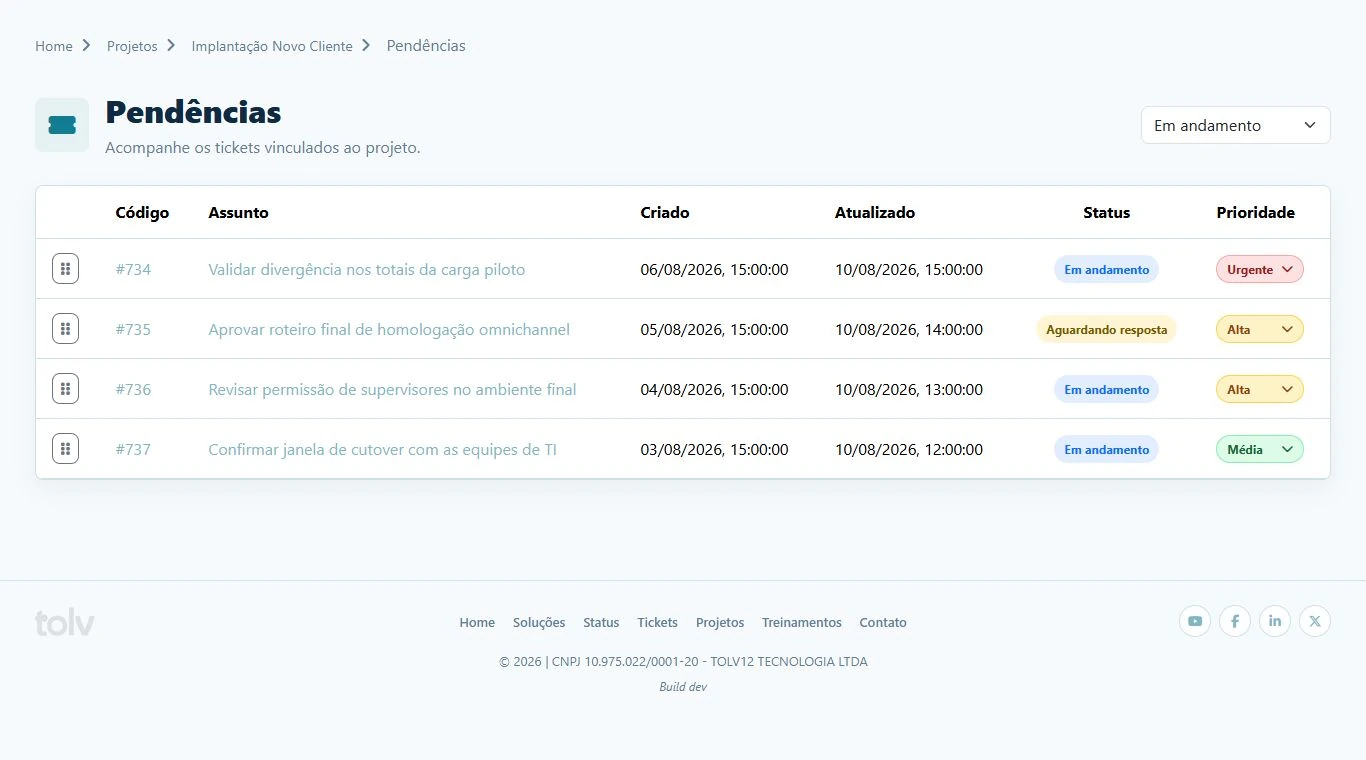
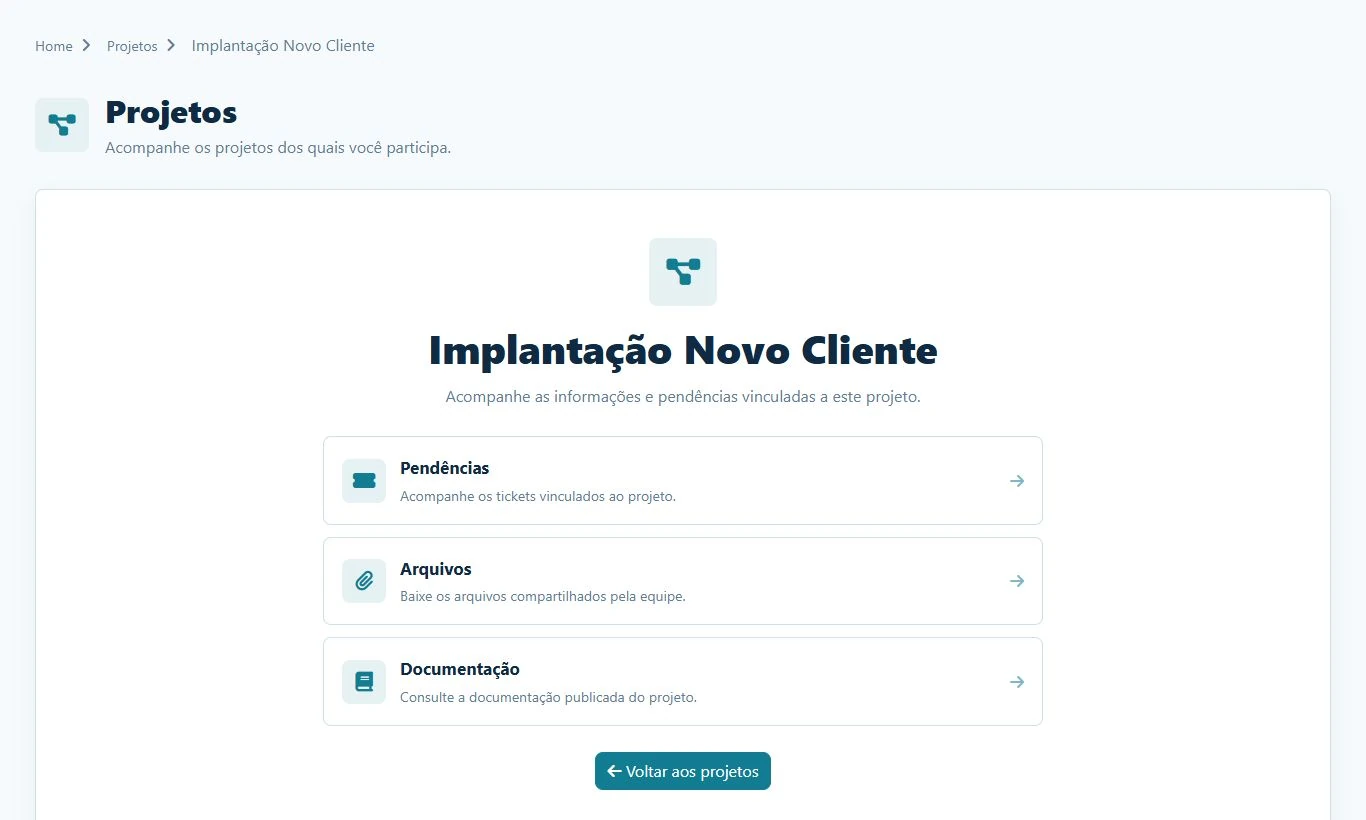
Projects connects directly to the Client Portal. Each authorized contact gets a secure area to track issues, approve deliveries, talk to the team and access published materials.

A complete portal with your brand

A secure, customized address for every client

The Client Portal brings every operational touchpoint into one experience. Each person signs in with their own username and password through a custom address protected by SSL/HTTPS.

Learn more about the Client Portal
Custom domain or subdomain with SSL/HTTPS Individual access with username and password Projects, tickets and approvals in one login Knowledge base, Status Page and contact channels

Issues and tickets

Clients track project tickets, set priorities and create requests in the same context.

Approvals and comments

Clients and teams talk inside each issue, preserving history, authorship and decisions.

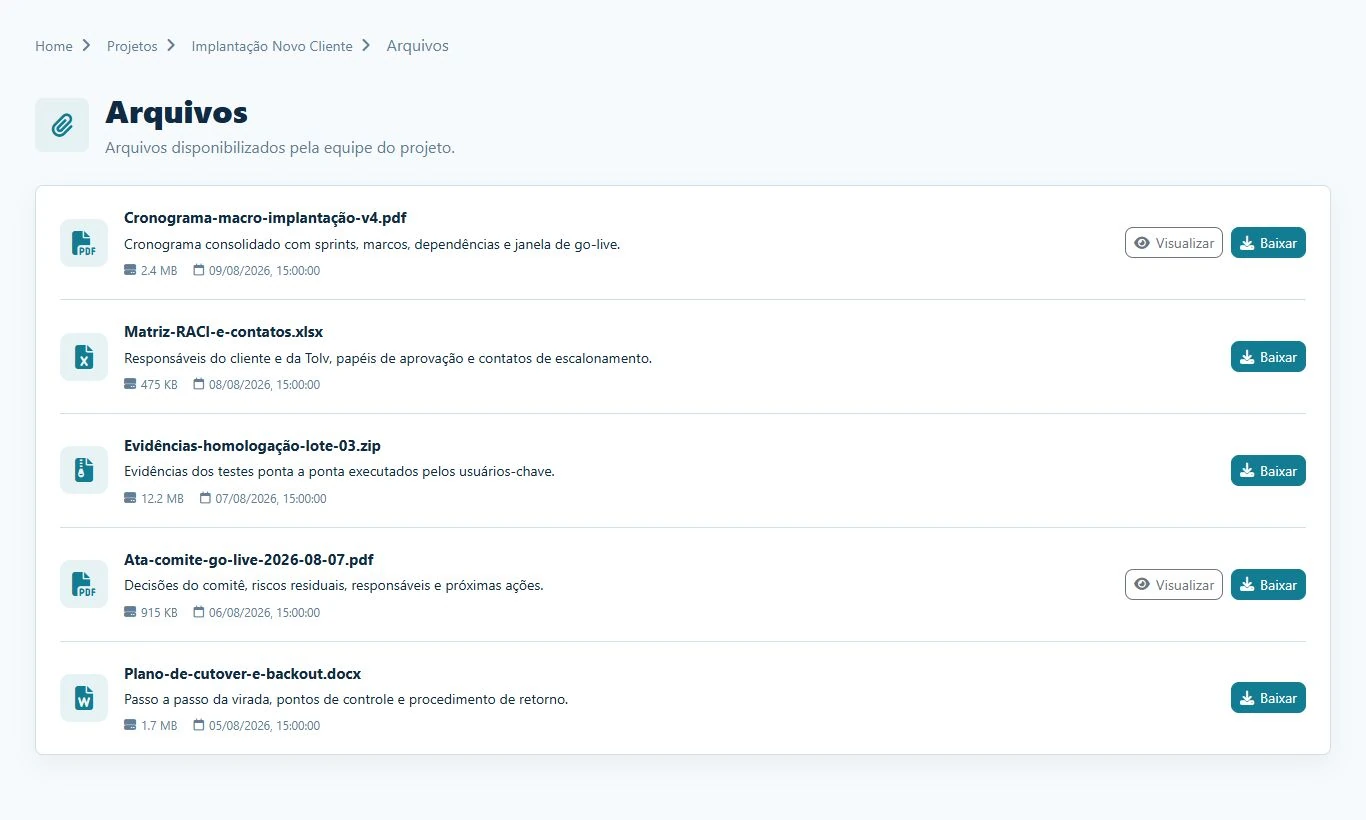
Downloadable files

Share minutes, schedules, spreadsheets and evidence with comments and visibility controls.

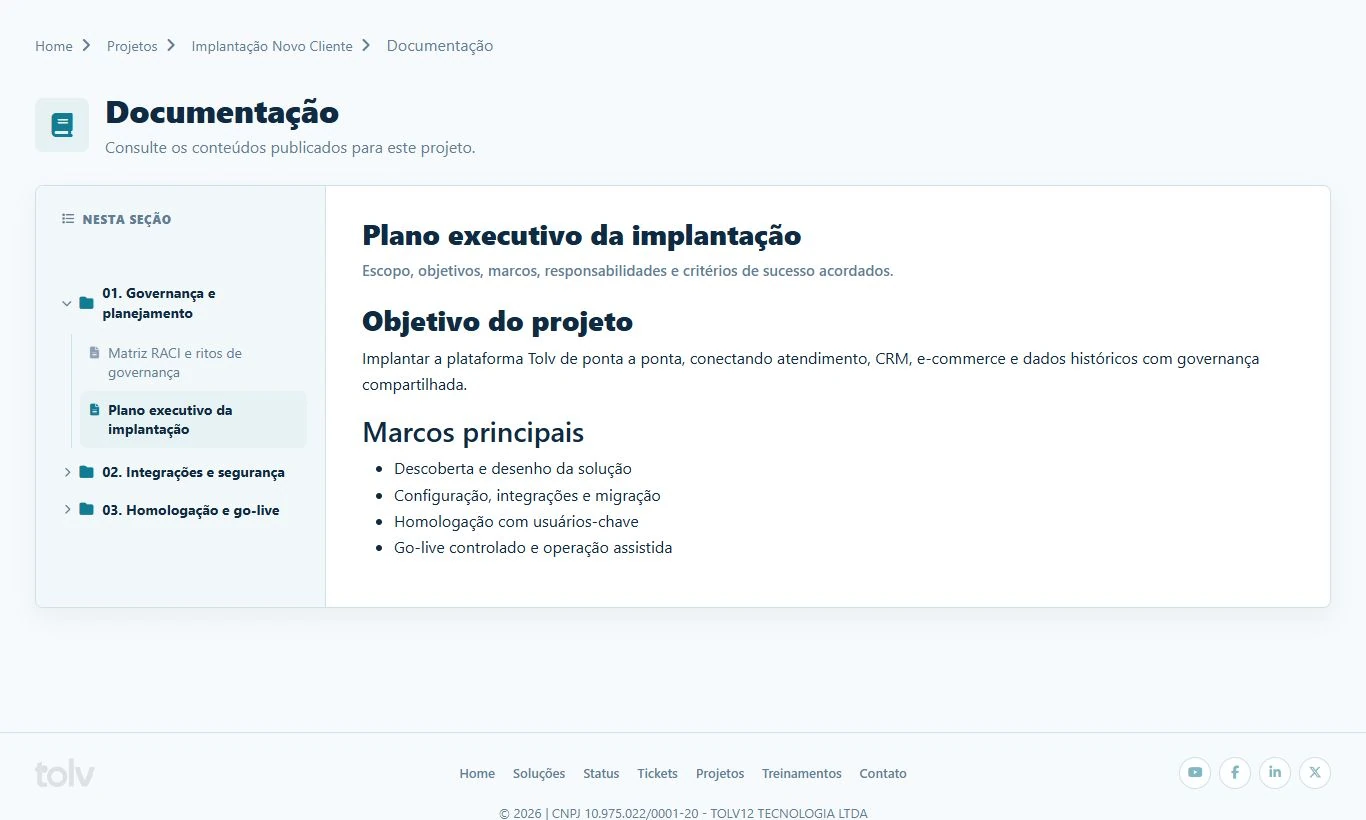
Published documentation

Organize content into folders and publish guides, plans and acceptance criteria in the portal.
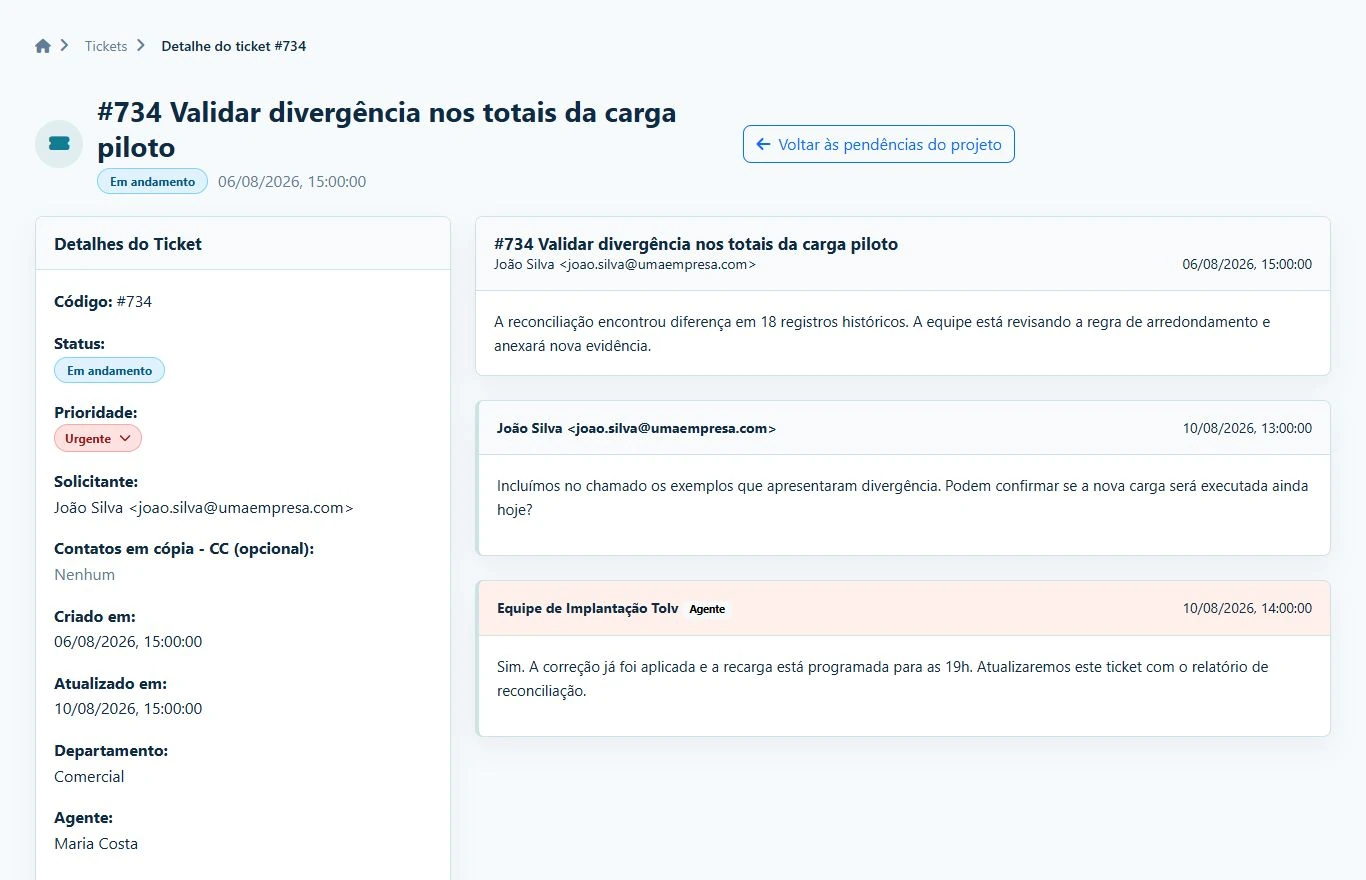
Conversation between client and team inside a project issue
Traceable collaboration

Every decision stays connected to the project

Comments, replies, priorities and approvals remain with each issue. Clients know what is happening and your team keeps the full history.

Transparent trackingCentralized historyFewer status meetings
Projects that move forward

Turn planning, execution and client relationships into one experience.

Give your team operational control and clients the transparency to decide, approve and follow every delivery.